- If you prefer text message (SMS) two factor, you can skip this step
Scholarship Universe Setup Steps
Step 1 - Setup Student Two Factor (Secure Login)
There are multiple two factor solutions available to you. You may use text messages (SMS) or an authenticator app (recommended).
-
Download an authenticator app on your phone, Snow College recommends the Microsoft Authenticator App for those not already enrolled in DUO. -
Setup your two factor authentication by CLICKING HERE -
Enter your Snow College username and password (same as badgerweb) -
You will be presented with this screen. Select Mobile (recommended) to use the authenticator app or SMS for Text messages as the MFA type and follow the on screen instructions 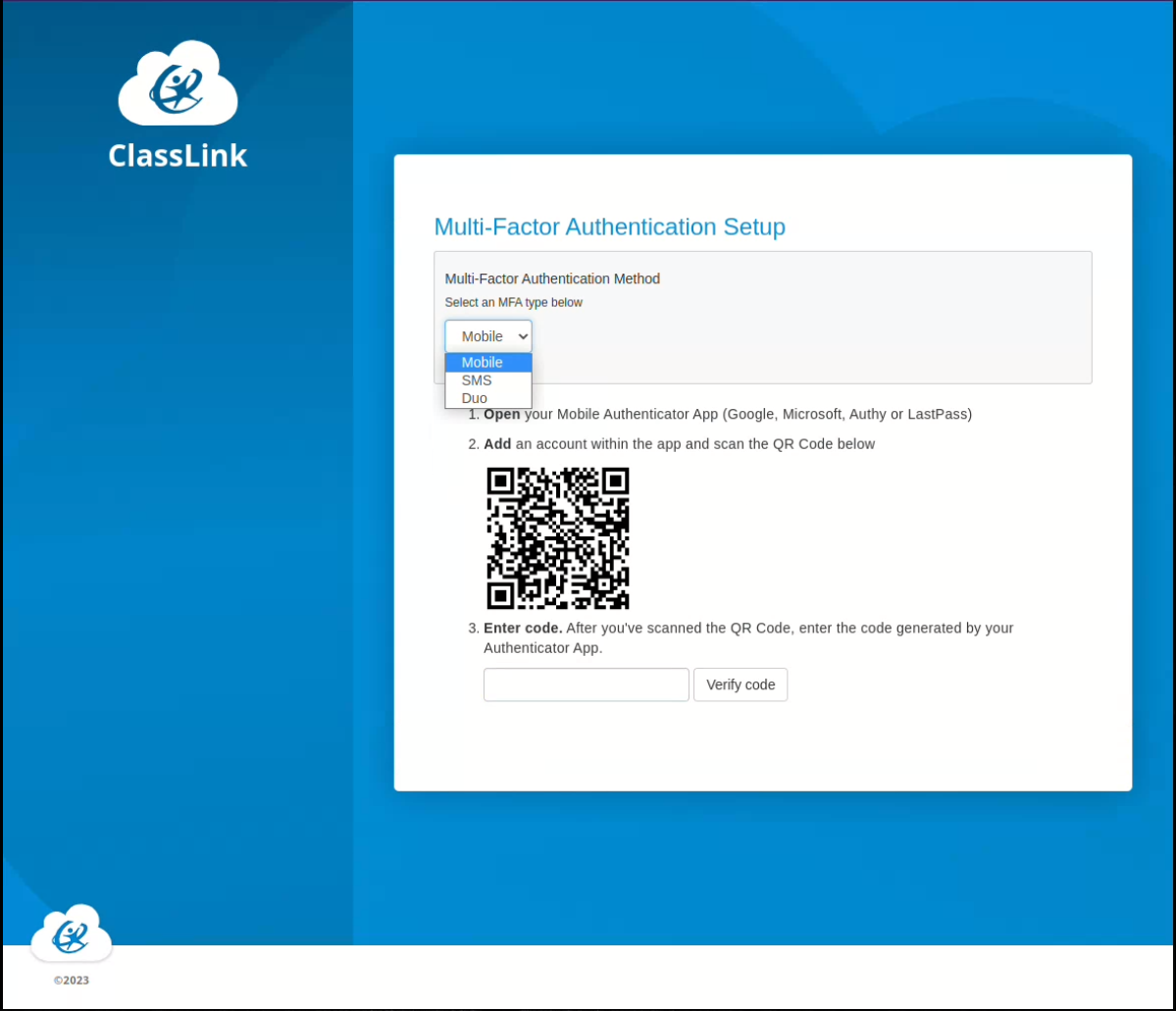
- You will be prompted to setup a password recovery method. Follow the on screen instructions
- Congratulations! You have successfully set up your two factor.
-
Step 2 - Connect to Scholarship Universe
- Go to https://snow.scholarshipuniverse.com or CLICK HERE
- If you have already logged in using Secure Two Factor login, you should see the Scholarship Universe Page, if prompted with a Username Password screen, enter Snow College user name and password (Same as Badgerweb)
- Accept terms and conditions, and complete the questionaire, once completed you will see the scholarships that you qualify for.
- Any issues logging in call us at 435-283-7128